







Play Pokepath TD online, place Pokémon as towers, evolve your team, defend routes, and keep improving after each attempt.
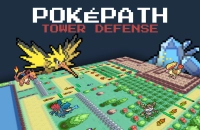
Here's a quick look at the game:
Pokepath TD is a fan-made Pokémon tower defense game where you build a team, place Pokémon along enemy paths, and defend against waves across multiple routes. Instead of catching monsters through RPG exploration, you focus on placement, upgrades, evolutions, and long-term team growth.
Your goal is simple: clear every path, survive stronger waves, and defeat the Legendary Pokémon waiting at the end of progression.
What You Do in the Game
Each route sends enemies along a fixed path. You place Pokémon in useful spots, upgrade them, evolve them, and adjust your team when a map starts pushing back.
There are 9 different routes, and each one can reward different strategies. A setup that works on one route may struggle on another, so switching teams is part of the game.
Progress is persistent. Losing does not fully reset your work, and your Pokémon can keep growing stronger over time.
How to Play
Start by choosing a route, then place Pokémon where they can cover the path effectively. Choke points, corners, and long straight sections are usually valuable because your Pokémon get more time to attack.
As waves get harder, you need to decide whether to add more Pokémon, level up your current team, or evolve key units. Stronger enemies can punish lazy placement, so do not rely only on raw damage.
You can also explore different paths without losing progress on your current route. If one map feels too hard, try another route, farm resources, then come back with a better team.
Online and Desktop Play
Pokepath TD can be played in a browser, and a desktop version is available for Windows, macOS, and Linux.
For longer sessions, the desktop version is the safer choice because it is more stable. If you play in the browser, export your save regularly from the menu to reduce the risk of losing progress.
Controls
| Action | Control |
|---|---|
| Select Pokémon | Mouse click / tap |
| Place units | Mouse click / tap |
| Upgrade or evolve | Click the on-screen buttons |
| Manage team and menus | Mouse / touch interface |
| Use Auto Mode | On-screen UI button |
| Keyboard support | Listed, but exact hotkeys are not clearly specified |
Most of the game can be played comfortably with a mouse or touch controls.
Auto Mode
Auto Mode lets the game keep farming with less input. It is useful when you are grinding resources or strengthening Pokémon before pushing a harder route.
You still need to build a good setup first. Auto Mode will not fix weak placement, poor coverage, or a team that cannot handle the route’s enemies.
Tips for Better Defense
- Place around corners and long coverage zones. More attack time usually matters more than placing units randomly near the start.
- Do not over-invest in one Pokémon too early. A balanced team handles more enemy types and route layouts.
- Evolve key units when they carry your defense. Evolution can turn a struggling route into a clearable one.
- Try unused Pokémon when stuck. Some maps need a different role, not just higher levels.
- Switch routes when progress slows down. Farming another path can help you return stronger.
- Export your browser save often. This is especially important after long sessions or major progress.
Why Players Keep Playing
Pokepath TD works because every failed attempt can still move you forward. You are not just restarting the same map; you are slowly building a stronger roster, testing new Pokémon, and learning better placements.
It is a good fit if you like tower defense games with team building, idle farming, upgrades, and route-by-route progression.