


















Run a monkey supermarket, harvest crops, stock shelves, serve customers, and upgrade your busy little mart.

Here's a quick look at the game:
Monkey Mart is an idle management game where you play as a monkey running a small supermarket. You grow crops, stock shelves, serve customers, earn cash, and expand the store into a larger business.
What You Do in the Game
You move around the mart and let actions happen automatically. Stand near crops to harvest them, walk to shelves to restock items, and go to the checkout to collect customer payments.
The game starts with simple products like bananas and corn. As you expand, you unlock more aisles, animals, appliances, and higher-value goods.
How to Play
Keep the store moving. When shelves are empty, customers wait longer. When the checkout is full, money stops flowing. Your job is to decide which problem needs attention first.
As the mart grows, you can hire monkey workers. Cashiers handle payments, assistants help stock shelves, farmers collect animal products, and chefs prepare items such as popcorn, yoghurt, and coffee.
Upgrades and Expansion
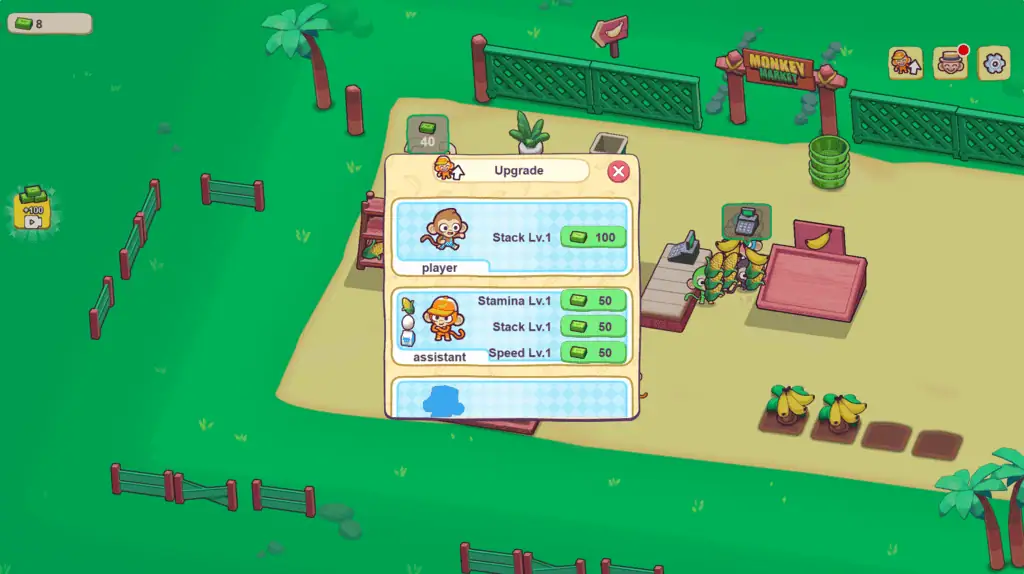
Spend money on new shelves, crops, appliances, and workers. Upgrades can improve speed, carrying capacity, and stamina, which helps your staff work longer before slowing down.
Unlocking new marts gives you new layouts and product chains, so the game becomes more about managing flow than simply harvesting bananas.
Controls
| Action | Control |
|---|---|
| Move | WASD or Arrow Keys |
| Harvest / stock / collect money | Walk to the correct station |
| Mobile movement | On-screen joystick |
| Mobile actions | Trigger automatically on contact |
Tips for Better Store Flow
- Restock empty shelves before chasing every crop.
- Upgrade carrying capacity when you spend too much time walking.
- Hire cashiers early so the checkout does not block income.
- Wake tired workers before queues get too long.
- Upgrade speed when the store starts feeling too spread out.
- Focus on one busy product chain before opening too many new stations.
Why Players Keep Playing
Monkey Mart works because the store slowly becomes more chaotic. You always have one more shelf to fill, one more worker to upgrade, or one more mart to unlock.
It fits players who like idle games with light movement, store management, farming loops, and steady upgrade progress.