

















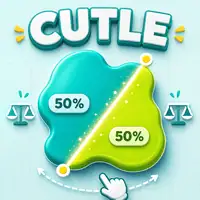
Cut one line through each Cutle shape and balance its filled area as close to 50:50 as possible, with precise scoring after every valid slice.
Here's a quick look at the game:
Cutle is a browser puzzle about judging area, not simply finding the visual center of a shape. Each challenge gives you a filled figure and asks you to draw one straight cut that divides its total area as close to 50:50 as possible.
Draw a Complete Cut
Press or click inside the game board, drag the line completely across the shape, and release. The cut is accepted only when the line passes all the way through the figure. The same drag-and-release control works with a mouse or touchscreen.
After a valid cut, Cutle separates the two sides and calculates how much filled area lies on each side of your line. Archive puzzles can contain holes or several separate filled regions, and all of those regions are included in the area measurement.
How Cutle Scores Your Split
Cutle shows both a rounded ratio and a more precise result. Its score is calculated by taking the smaller side's percentage and multiplying it by two. A precise 49.6:50.4 division, for example, produces a score of 99.2%.
A 100.0% score requires the precise result to round to 50.0:50.0. Results close to the target can also earn trophies: rounded 50:50 earns Gold when it is not Perfect, 49:51 earns Silver, and 48:52 earns Bronze.
Adjust the Area, Not Just the Line
A shape with a clear line of symmetry gives you a useful starting cut because matching halves also balance their area. Irregular shapes require a different approach: compare how much filled space sits on each side instead of judging only the outline's width or length.
If one side is slightly too large, select the finished shape or use Reset and shift the next line by a small amount. Cutle estimates area from sampled points, so even a tiny change in position or angle can move enough points to change the precise score.